The Linux Kernel
Table of Contents
Finding the kernel packages#
The Linux kernel is not a monolithic file but rather a set of RPM packages.
Find out the installed kernel packages:
user1@localhost:~$ rpm -qa *kernel*
kernel-modules-extra-matched-6.12.0-124.8.1.el10_1.x86_64
kernel-tools-libs-6.12.0-124.8.1.el10_1.x86_64
kernel-modules-core-6.12.0-124.8.1.el10_1.x86_64
kernel-core-6.12.0-124.8.1.el10_1.x86_64
kernel-modules-6.12.0-124.8.1.el10_1.x86_64
kernel-modules-extra-6.12.0-124.8.1.el10_1.x86_64
kernel-tools-6.12.0-124.8.1.el10_1.x86_64
kernel-6.12.0-124.8.1.el10_1.x86_64
user1@localhost:~$
Find out the kernel version and release:
user1@localhost:~$ uname --help
Usage: uname [OPTION]...
Print certain system information.  With no OPTION, same as -s.

  -a, --all                print all information, in the following order,
                             except omit -p and -i if unknown:
  -s, --kernel-name        print the kernel name
  -n, --nodename           print the network node hostname
  -r, --kernel-release     print the kernel release
  -v, --kernel-version     print the kernel version
  -m, --machine            print the machine hardware name
  -p, --processor          print the processor type (non-portable)
  -i, --hardware-platform  print the hardware platform (non-portable)
  -o, --operating-system   print the operating system
      --help        display this help and exit
      --version     output version information and exit

GNU coreutils online help: <https://www.gnu.org/software/coreutils/>
Full documentation <https://www.gnu.org/software/coreutils/uname>
or available locally via: info '(coreutils) uname invocation'
user1@localhost:~$
user1@localhost:~$ uname -v
#1 SMP PREEMPT_DYNAMIC Fri Oct 17 13:03:58 EDT 2025
user1@localhost:~$ uname -r
6.12.0-124.8.1.el10_1.x86_64
user1@localhost:~$
Kernel-related files#
in the /boot directory#
With the exception of the efi and grub2 directories, which deal with the bootloader for UEFI and BIOS systems respectively, the rest of the files and subdirectories under the /boot/ directory are related to the kernel.
At a minimum, there is an active kernel and a rescue kernel on a fresh-installed RHEL; To each of them corresponds an initramfs file, a configuration file under /boot/loader/entries/ and a monolithic compressed package whose name starts with vmlinuz. The files related to the rescue kernel are referenced by the word rescue in their names:
user1@localhost:~$ ls /boot
config-6.12.0-124.8.1.el10_1.x86_64
efi
grub2
initramfs-0-rescue-10e1d369baf34f8e83ef5ce0cf67aad2.img
initramfs-6.12.0-124.8.1.el10_1.x86_64.img
initramfs-6.12.0-124.8.1.el10_1.x86_64kdump.img
loader
symvers-6.12.0-124.8.1.el10_1.x86_64.xz
System.map-6.12.0-124.8.1.el10_1.x86_64
vmlinuz-0-rescue-10e1d369baf34f8e83ef5ce0cf67aad2
vmlinuz-6.12.0-124.8.1.el10_1.x86_64
user1@localhost:~$
The /boot/loader/entries contains configuration files for the kernels:
user1@localhost:~$ ls -l /boot/loader/entries
ls: cannot open directory '/boot/loader/entries': Permission denied
user1@localhost:~$ sudo ls -l /boot/loader/entries
[sudo] password for user1:
total 8
-rw-r--r--. 1 root root 498 May 25 19:07 10e1d369baf34f8e83ef5ce0cf67aad2-0-rescue.conf
-rw-r--r--. 1 root root 460 May 25 19:07 10e1d369baf34f8e83ef5ce0cf67aad2-6.12.0-124.8.1.el10_1.x86_64.conf
user1@localhost:~$
The name of each configuration file starts with the machine ID; The value of the machine ID is found in /etc/machine-id:
user1@localhost:~$ ls /etc/machine-id
/etc/machine-id
user1@localhost:~$
Sample content of the configuration file of the active kernel:
user1@localhost:~$ sudo cat /boot/loader/entries/10e1d369baf34f8e83ef5ce0cf67aad2-6.12.0-124.8.1.el10_1.x86_64.conf
[sudo] password for user1:
title Red Hat Enterprise Linux (6.12.0-124.8.1.el10_1.x86_64) 10.1 (Coughlan)
version 6.12.0-124.8.1.el10_1.x86_64
linux /vmlinuz-6.12.0-124.8.1.el10_1.x86_64
initrd /initramfs-6.12.0-124.8.1.el10_1.x86_64.img $tuned_initrd
options root=/dev/mapper/rhel-root ro crashkernel=2G-64G:256M,64G-:512M resume=UUID=1b78a569-98e2-4c07-95c6-fdd850456cf2 rd.lvm.lv=rhel/root rd.lvm.lv=rhel/swap rhgb quiet
grub_users $grub_users
grub_arg --unrestricted
grub_class rhel
user1@localhost:~$
in the /proc directory#
user1@localhost:~$ ls -l /proc
total 0
dr-xr-xr-x.  9 root           root                         0 Aug  7 21:31 1
dr-xr-xr-x.  9 root           root                         0 Aug  7 21:31 10
dr-xr-xr-x.  9 root           root                         0 Aug  7 21:31 1002
dr-xr-xr-x.  9 root           root                         0 Aug  7 21:31 1004
dr-xr-xr-x.  9 root           root                         0 Aug  7 21:31 102
dr-xr-xr-x.  9 root           root                         0 Aug  7 21:31 103
dr-xr-xr-x.  9 dbus           dbus                         0 Aug  7 21:31 1037
dr-xr-xr-x.  9 root           root                         0 Aug  7 21:31 104
dr-xr-xr-x.  9 dbus           dbus                         0 Aug  7 21:31 1045
dr-xr-xr-x.  9 avahi          avahi                        0 Aug  7 21:31 1046
dr-xr-xr-x.  9 root           root                         0 Aug  7 21:31 1048
dr-xr-xr-x.  9 libstoragemgmt libstoragemgmt               0 Aug  7 21:31 1049
dr-xr-xr-x.  9 root           root                         0 Aug  7 21:31 1050
dr-xr-xr-x.  9 polkitd        polkitd                      0 Aug  7 21:31 1051
dr-xr-xr-x.  9 root           root                         0 Aug  7 21:31 1053
dr-xr-xr-x.  9 root           root                         0 Aug  7 21:31 95

<---- output omitted ---->

dr-xr-xr-x.  9 root           root                         0 Aug  7 21:32 982
dr-xr-xr-x.  9 root           root                         0 Aug  7 21:32 983
dr-xr-xr-x.  9 root           root                         0 Aug  7 21:32 985
dr-xr-xr-x.  9 root           root                         0 Aug  7 21:32 986
dr-xr-xr-x.  9 root           root                         0 Aug  7 21:32 987
dr-xr-xr-x.  9 root           root                         0 Aug  7 21:32 988
dr-xr-xr-x.  9 root           root                         0 Aug  7 21:32 989
dr-xr-xr-x.  9 root           root                         0 Aug  7 21:32 990
dr-xr-xr-x.  3 root           root                         0 Aug  7 21:32 acpi
dr-xr-xr-x.  9 root           root                         0 Aug  7 21:32 asound
-r--r--r--.  1 root           root                         0 Aug  7 21:32 bootconfig
-r--r--r--.  1 root           root                         0 Aug  7 21:32 buddyinfo
dr-xr-xr-x.  4 root           root                         0 Aug  7 21:32 bus
-r--r--r--.  1 root           root                         0 Aug  7 21:31 cgroups
-r--r--r--.  1 root           root                       223 Aug  7 21:31 cmdline
-r--r--r--.  1 root           root                         0 Aug  7 21:32 consoles
-r--r--r--.  1 root           root                         0 Aug  7 21:31 cpuinfo
-r--r--r--.  1 root           root                         0 Aug  7 21:32 crypto
-r--r--r--.  1 root           root                         0 Aug  7 21:31 devices
-r--r--r--.  1 root           root                         0 Aug  7 21:32 diskstats
-r--r--r--.  1 root           root                         0 Aug  7 21:32 dma
dr-xr-xr-x.  4 root           root                         0 Aug  7 21:32 driver
dr-xr-xr-x.  3 root           root                         0 Aug  7 21:32 dynamic_debug
-r--r--r--.  1 root           root                         0 Aug  7 21:32 execdomains
-r--r--r--.  1 root           root                         0 Aug  7 21:31 filesystems
dr-xr-xr-x.  4 root           root                         0 Aug  7 21:32 fs
-r--r--r--.  1 root           root                         0 Aug  7 21:32 interrupts
-r--r--r--.  1 root           root                         0 Aug  7 21:31 iomem
-r--r--r--.  1 root           root                         0 Aug  7 21:32 ioports
dr-xr-xr-x. 50 root           root                         0 Aug  7 21:32 irq
-r--r--r--.  1 root           root                         0 Aug  7 21:32 kallsyms
-r--------.  1 root           root           140737471590400 Aug  7 21:31 kcore
-r--r--r--.  1 root           root                         0 Aug  7 21:32 keys
-r--r--r--.  1 root           root                         0 Aug  7 21:32 key-users
-r--------.  1 root           root                         0 Aug  7 21:32 kmsg
-r--------.  1 root           root                         0 Aug  7 21:32 kpagecgroup
-r--------.  1 root           root                         0 Aug  7 21:32 kpagecount
-r--------.  1 root           root                         0 Aug  7 21:32 kpageflags
-r--r--r--.  1 root           root                         0 Aug  7 21:32 loadavg
-r--r--r--.  1 root           root                         0 Aug  7 21:32 locks
-r--r--r--.  1 root           root                         0 Aug  7 21:32 mdstat
-r--r--r--.  1 root           root                         0 Aug  7 21:31 meminfo
-r--r--r--.  1 root           root                         0 Aug  7 21:31 misc
-r--r--r--.  1 root           root                         0 Aug  7 21:32 modules
lrwxrwxrwx.  1 root           root                        11 Aug  7 21:31 mounts -> self/mounts
-rw-r--r--.  1 root           root                         0 Aug  7 21:32 mtrr
lrwxrwxrwx.  1 root           root                         8 Aug  7 21:31 net -> self/net
-r--------.  1 root           root                         0 Aug  7 21:32 pagetypeinfo
-r--r--r--.  1 root           root                         0 Aug  7 21:32 partitions
-r--r--r--.  1 root           root                         0 Aug  7 21:32 schedstat
dr-xr-xr-x.  5 root           root                         0 Aug  7 21:32 scsi
lrwxrwxrwx.  1 root           root                         0 Aug  7 21:31 self -> 2392
-r--------.  1 root           root                         0 Aug  7 21:32 slabinfo
-r--r--r--.  1 root           root                         0 Aug  7 21:32 softirqs
-r--r--r--.  1 root           root                         0 Aug  7 21:31 stat
-r--r--r--.  1 root           root                         0 Aug  7 21:31 swaps
dr-xr-xr-x.  1 root           root                         0 Aug  7 21:31 sys
--w-------.  1 root           root                         0 Aug  7 21:32 sysrq-trigger
dr-xr-xr-x.  5 root           root                         0 Aug  7 21:32 sysvipc
lrwxrwxrwx.  1 root           root                         0 Aug  7 21:31 thread-self -> 2392/task/2392
-r--------.  1 root           root                         0 Aug  7 21:32 timer_list
dr-xr-xr-x.  6 root           root                         0 Aug  7 21:32 tty
-r--r--r--.  1 root           root                         0 Aug  7 21:32 uptime
-r--r--r--.  1 root           root                         0 Aug  7 21:32 version
-r--------.  1 root           root                         0 Aug  7 21:32 vmallocinfo
-r--r--r--.  1 root           root                         0 Aug  7 21:32 vmstat
-r--r--r--.  1 root           root                         0 Aug  7 21:32 zoneinfo
user1@localhost:~$
in the /usr/lib/modules directory#
This directory contains modules and drivers for every kernel version that is installed on the RHEL machine.
user1@rhel10-vm2:~$ ls /usr/lib/modules
6.12.0-55.43.1.el10_0.x86_64
user1@rhel10-vm2:~$
user1@rhel10-vm2:~$ ls -l /usr/lib/modules
total 4
drwxr-xr-x. 7 root root 4096 Nov 15  2025 6.12.0-55.43.1.el10_0.x86_64
user1@rhel10-vm2:~$
user1@rhel10-vm2:~$ ls -l /usr/lib/modules/6.12.0-55.43.1.el10_0.x86_64/
total 28472
lrwxrwxrwx.  1 root root       45 Nov  3  2025 build -> /usr/src/kernels/6.12.0-55.43.1.el10_0.x86_64
-rw-r--r--.  1 root root   249829 Nov  3  2025 config
drwxr-xr-x. 12 root root      131 Nov 15  2025 kernel
-rw-r--r--.  1 root root   894025 Nov 15  2025 modules.alias
-rw-r--r--.  1 root root   846716 Nov 15  2025 modules.alias.bin
-rw-r--r--.  1 root root      344 Nov  3  2025 modules.block
-rw-r--r--.  1 root root     9665 Nov  3  2025 modules.builtin
-rw-r--r--.  1 root root    12284 Nov 15  2025 modules.builtin.alias.bin
-rw-r--r--.  1 root root    11990 Nov 15  2025 modules.builtin.bin
-rw-r--r--.  1 root root    86258 Nov  3  2025 modules.builtin.modinfo
-rw-r--r--.  1 root root   315791 Nov 15  2025 modules.dep
-rw-r--r--.  1 root root   412022 Nov 15  2025 modules.dep.bin
-rw-r--r--.  1 root root      405 Nov 15  2025 modules.devname
-rw-r--r--.  1 root root      175 Nov  3  2025 modules.drm
-rw-r--r--.  1 root root       34 Nov  3  2025 modules.modesetting
-rw-r--r--.  1 root root     1641 Nov  3  2025 modules.networking
-rw-r--r--.  1 root root    96081 Nov  3  2025 modules.order
-rw-r--r--.  1 root root      975 Nov 15  2025 modules.softdep
-rw-r--r--.  1 root root   500757 Nov 15  2025 modules.symbols
-rw-r--r--.  1 root root   595186 Nov 15  2025 modules.symbols.bin
lrwxrwxrwx.  1 root root        5 Nov  3  2025 source -> build
-rw-r--r--.  1 root root   275172 Nov  3  2025 symvers.xz
-rw-r--r--.  1 root root  8940210 Nov  3  2025 System.map
drwxr-xr-x.  2 root root        6 Nov  3  2025 systemtap
drwxr-xr-x.  2 root root        6 Nov  3  2025 updates
drwxr-xr-x.  2 root root       40 Nov 15  2025 vdso
-rwxr-xr-x.  1 root root 15853688 Nov  3  2025 vmlinuz
drwxr-xr-x.  2 root root        6 Nov  3  2025 weak-updates
user1@rhel10-vm2:~$
user1@rhel10-vm2:~$ ls -l /usr/lib/modules/6.12.0-55.43.1.el10_0.x86_64/kernel/
total 20
drwxr-xr-x.  3 root root   17 Nov 15  2025 arch
drwxr-xr-x.  4 root root 4096 Nov 15  2025 crypto
drwxr-xr-x. 79 root root 4096 Nov 15  2025 drivers
drwxr-xr-x. 24 root root 4096 Nov 15  2025 fs
drwxr-xr-x.  6 root root   79 Nov 15  2025 kernel
drwxr-xr-x. 10 root root 4096 Nov 15  2025 lib
drwxr-xr-x.  3 root root   49 Nov 15  2025 mm
drwxr-xr-x. 36 root root 4096 Nov 15  2025 net
drwxr-xr-x.  3 root root   23 Nov 15  2025 samples
drwxr-xr-x. 13 root root  182 Nov 15  2025 sound
user1@rhel10-vm2:~$
Downloading and installing kernel packages for a newer kernel version#
Requirements#
- a RHEL machine that is registered to the Red Hat Customer Portal
- a working Red Hat account
Procedure#
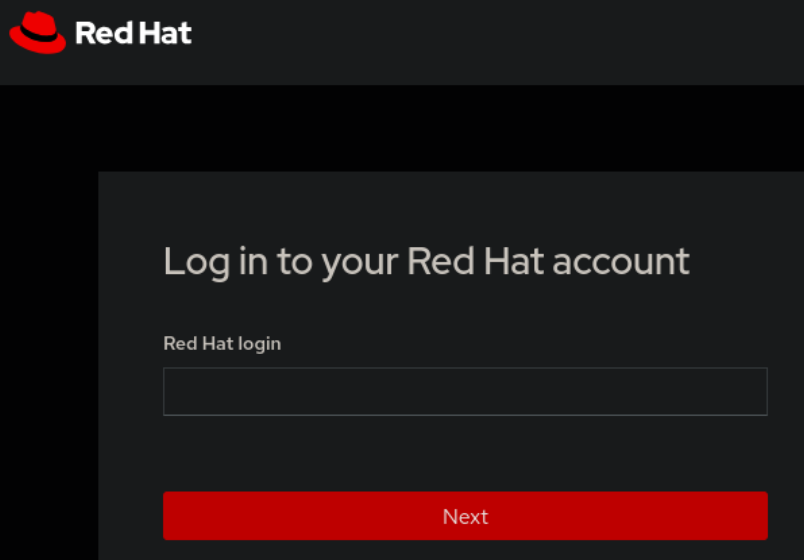
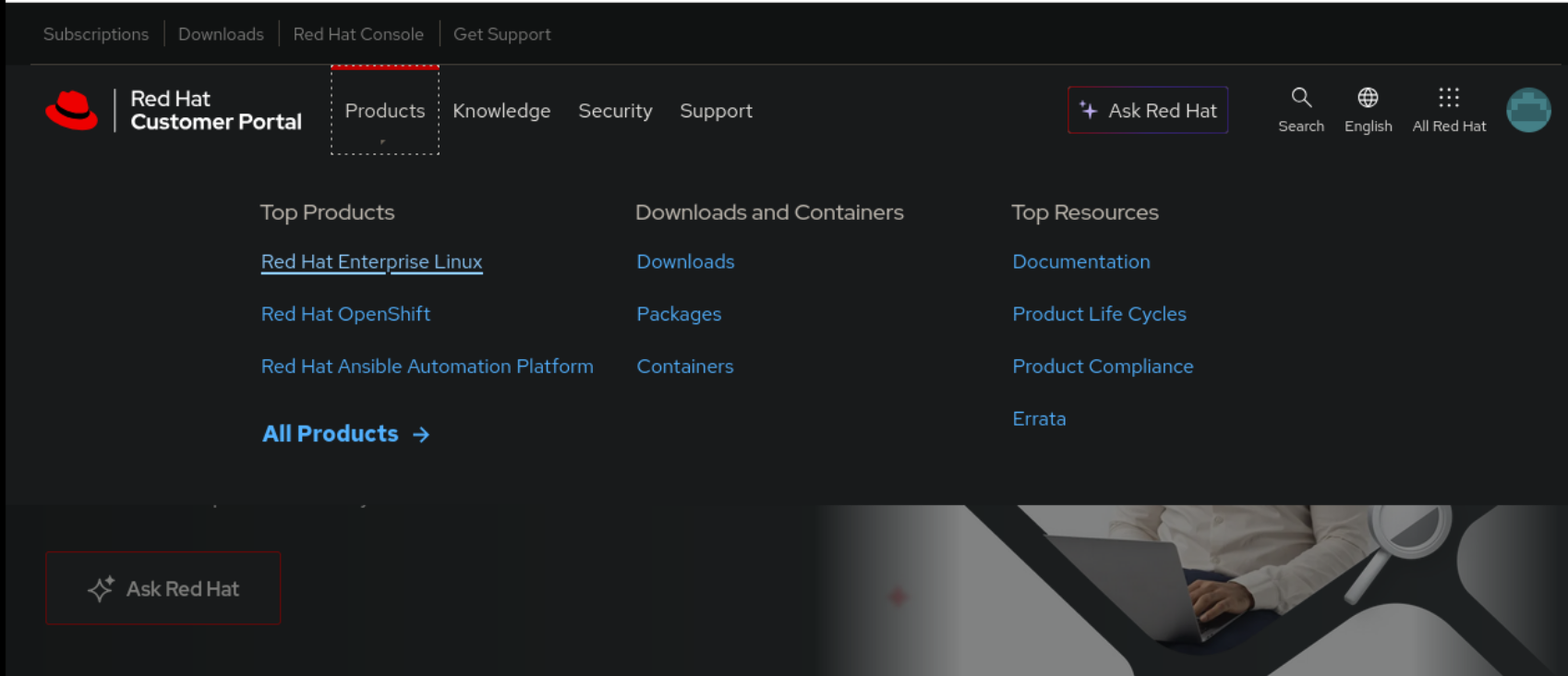
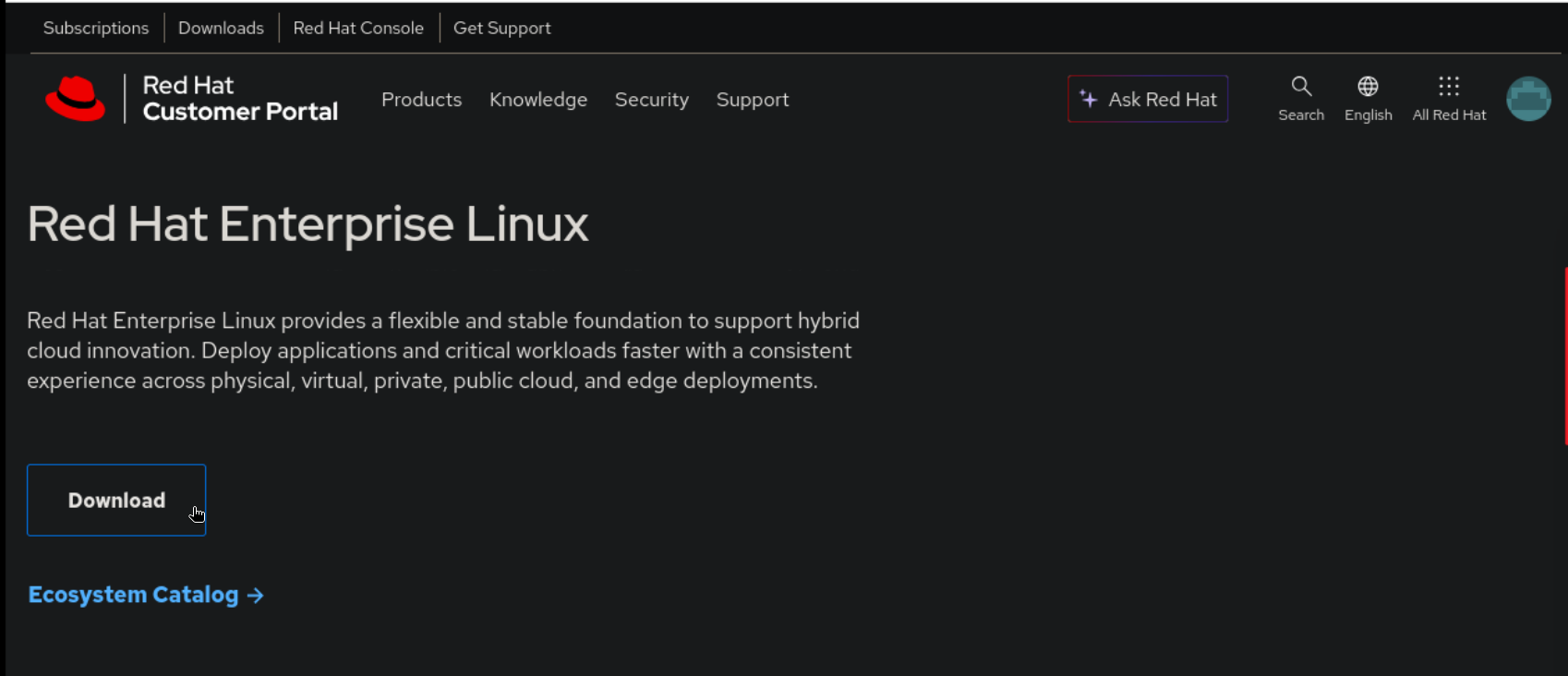
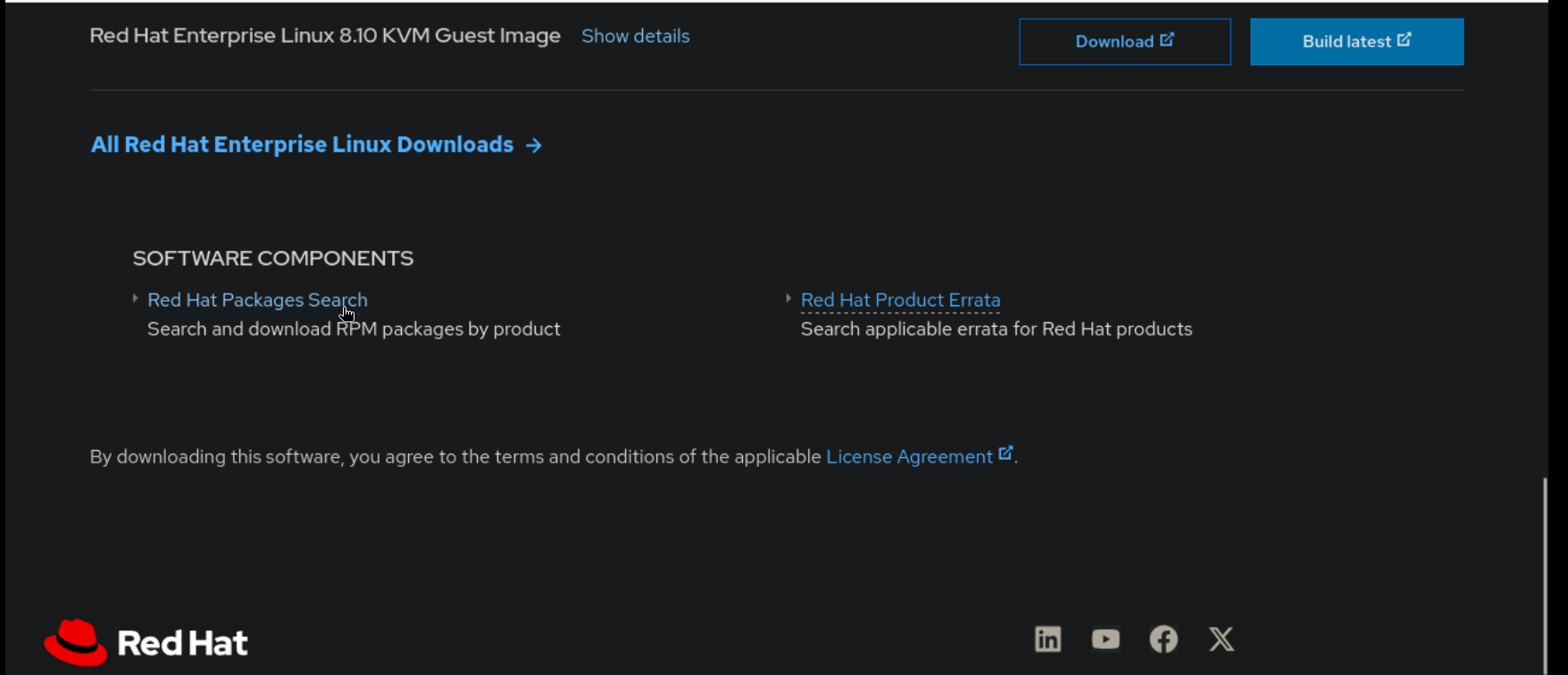
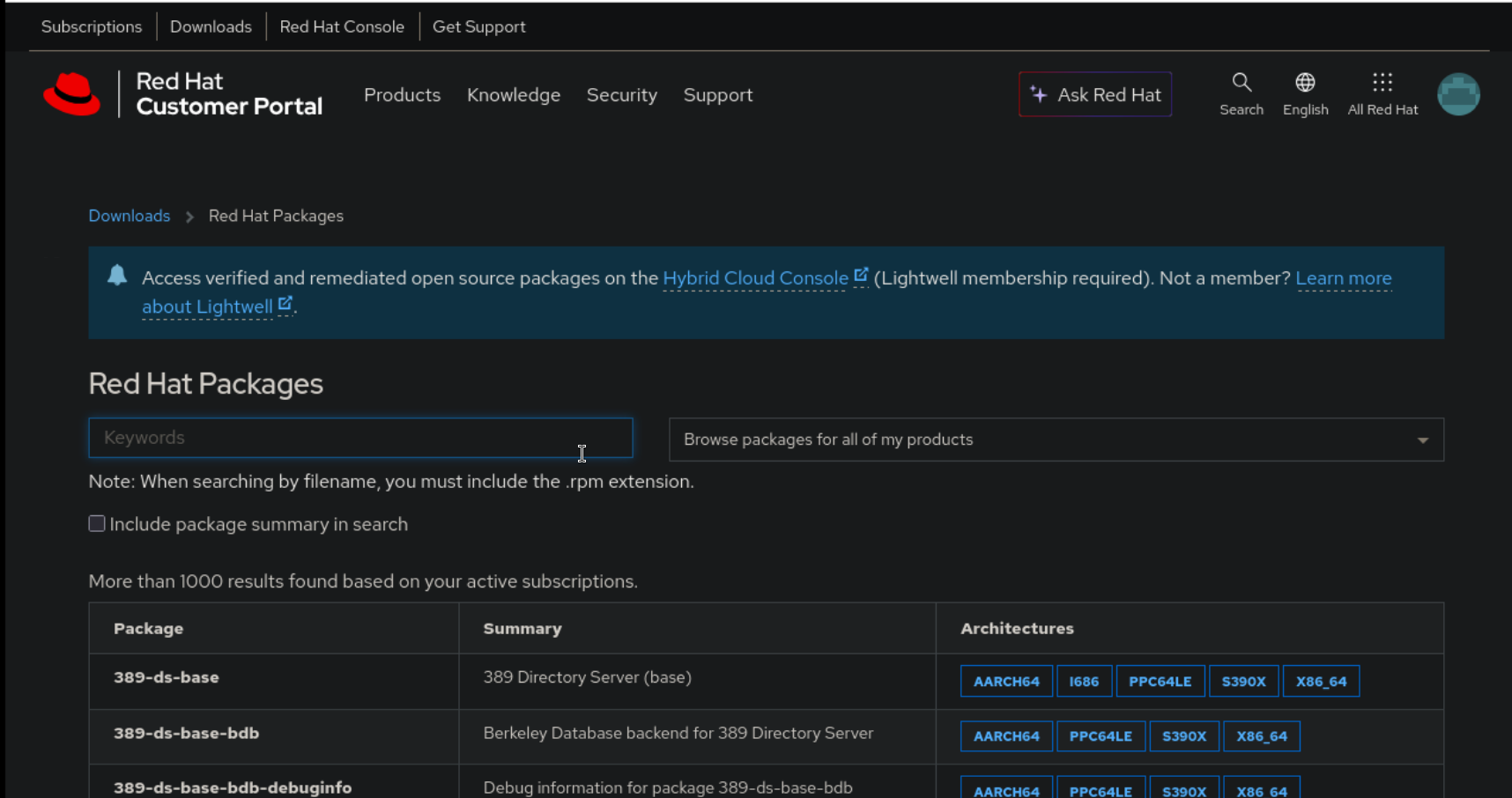
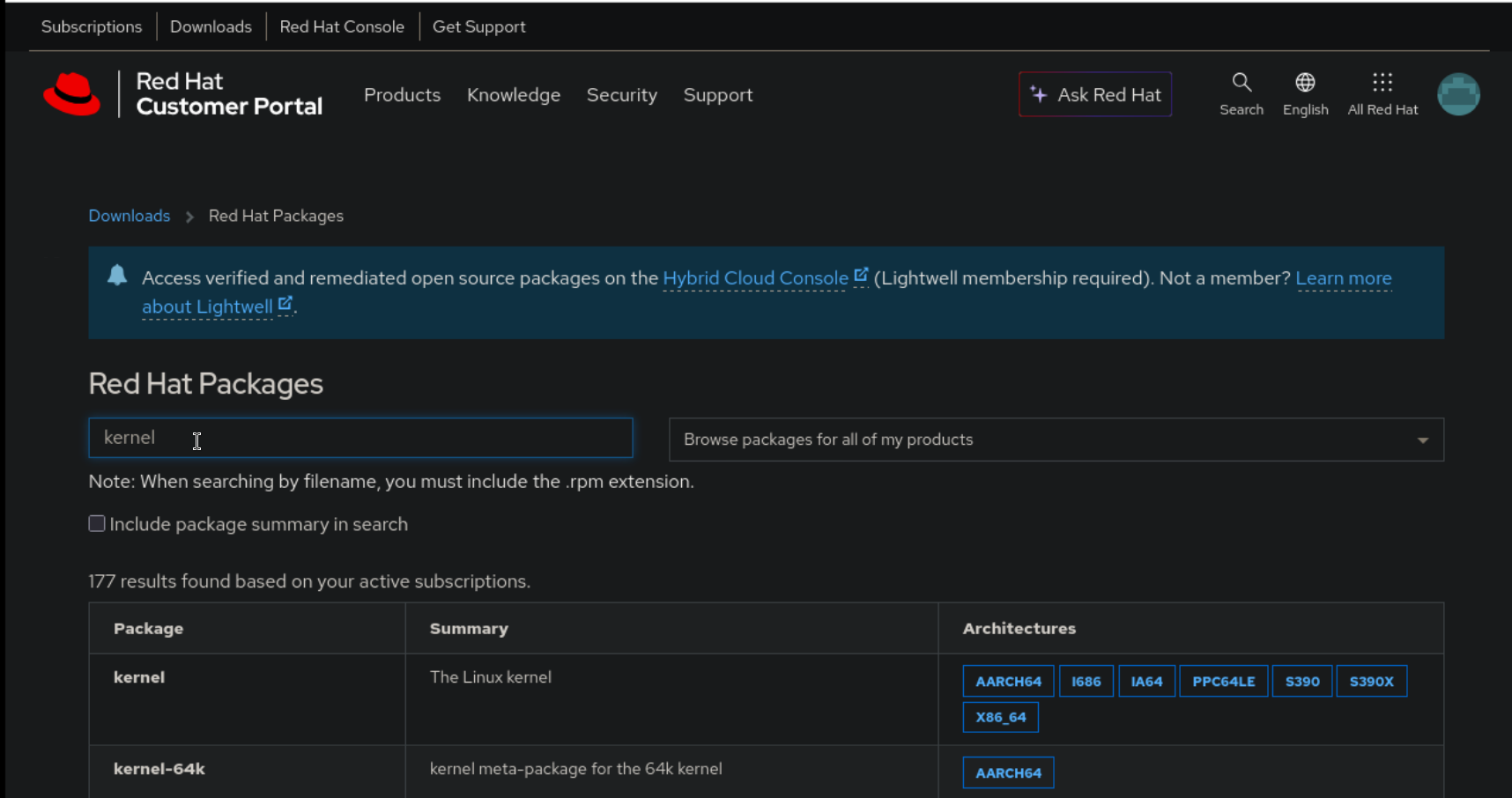
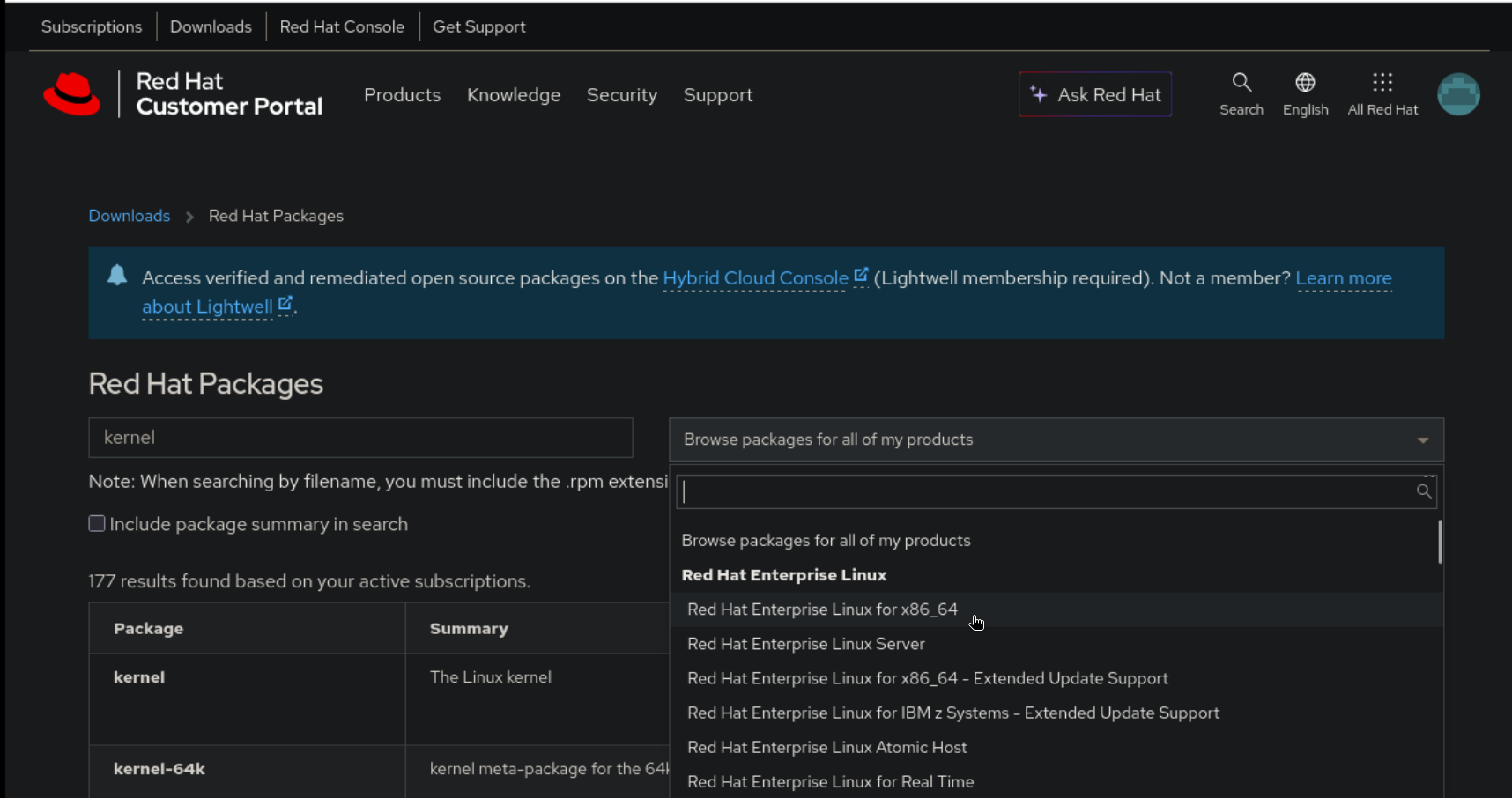
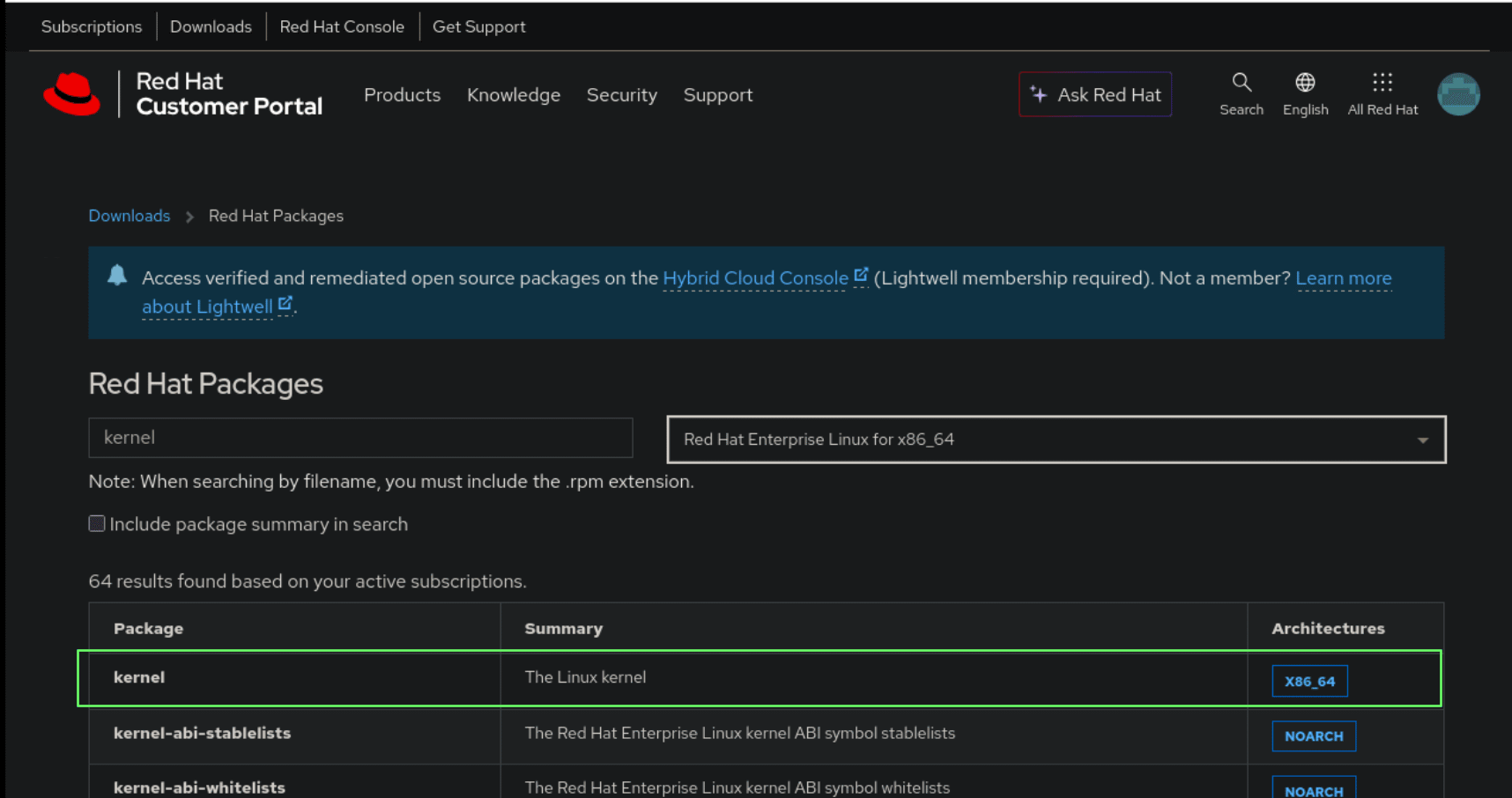
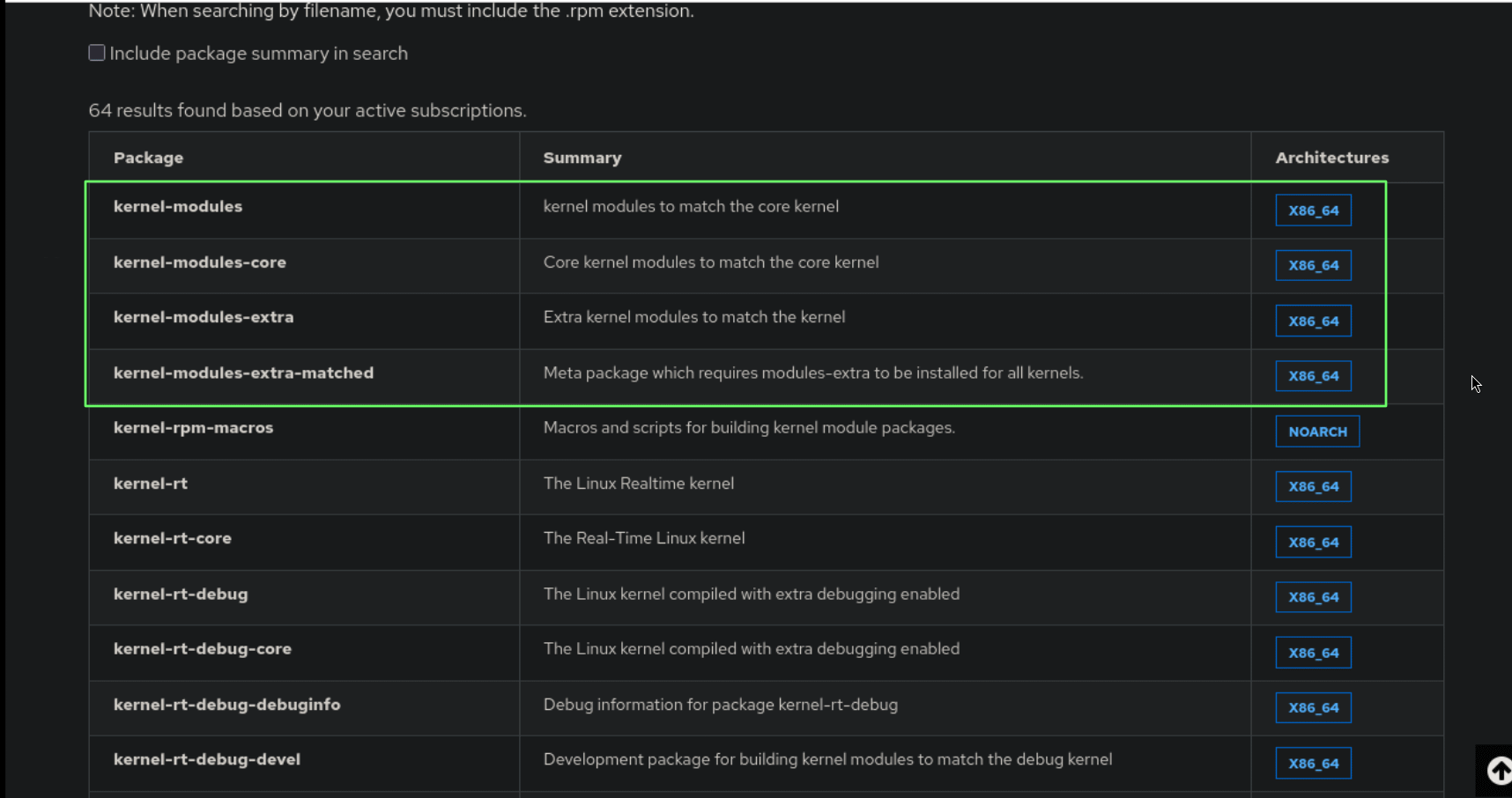
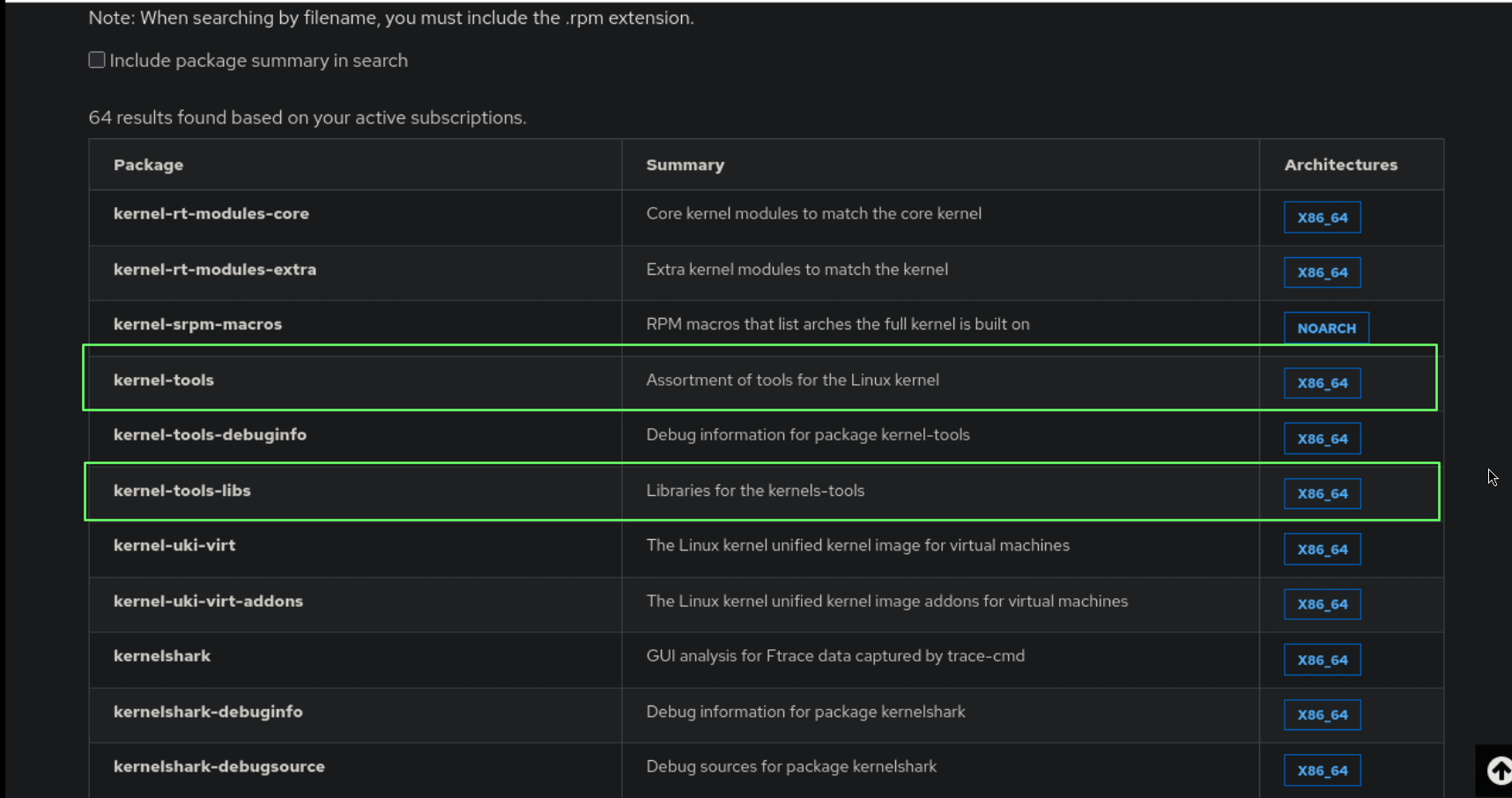
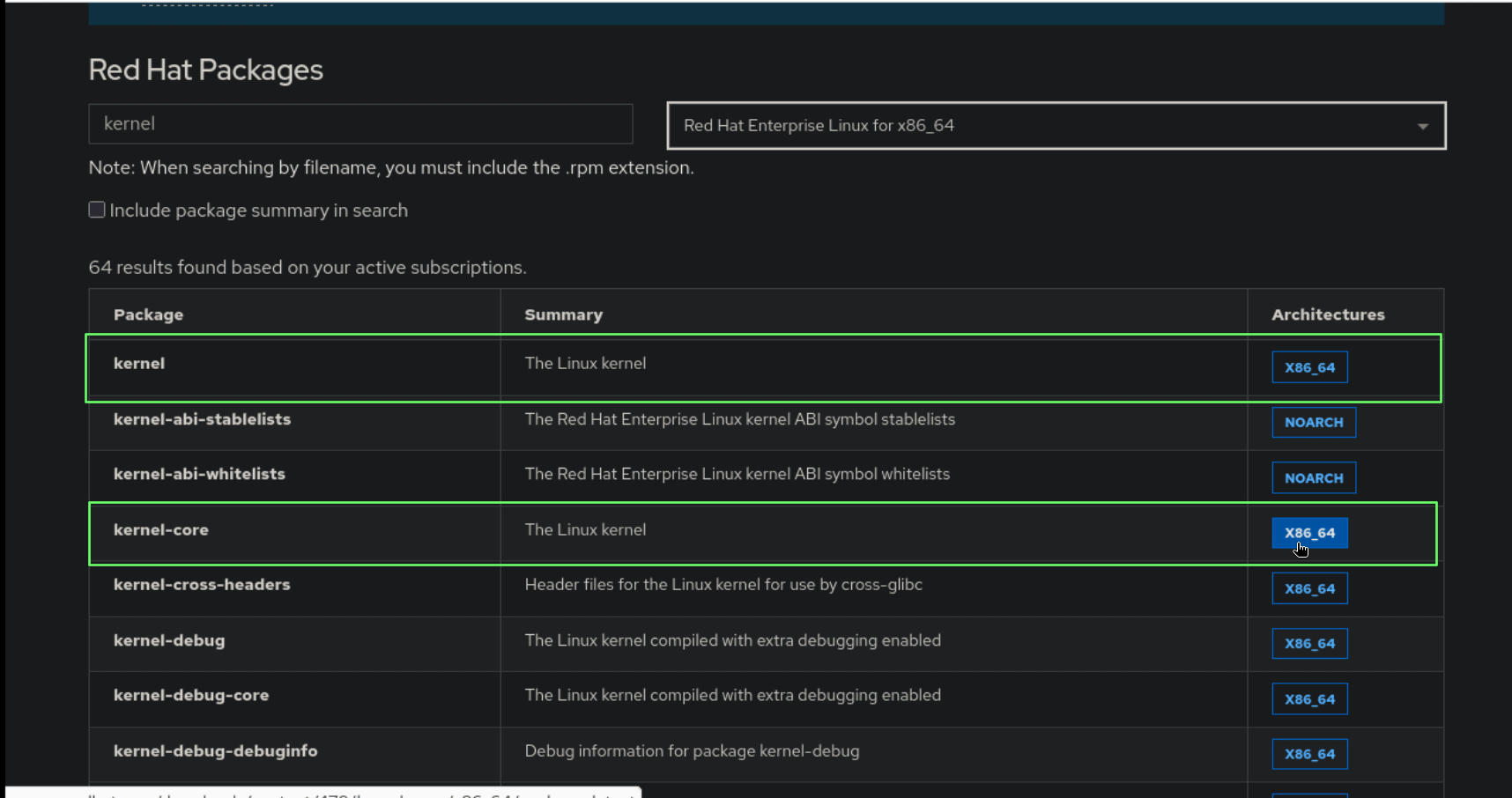
Find out the current kernel release. Find out which kernel packages are installed. Log in to https://access.redhat.com. Search for the desired version of every kernel package that is alreay installed and download it. The total number of kernel packages to be downloaded must be equal to the number of already installed kernel packages. All kernel packages to be downloaded must have the same release number. Install all downloaded kernel packages with dnf install in order to avoid manually solving dependencies if it were to be done with rpm. Once the new kernel packages are installed, the new kernel becomes the default displayed kernel entry in GRUB2.
Example#
user1@localhost:/tmp$ uname -r
6.12.0-124.8.1.el10_1.x86_64
user1@localhost:/tmp$
user1@localhost:~$ rpm -qa *kernel*
kernel-modules-extra-matched-6.12.0-124.8.1.el10_1.x86_64
kernel-tools-libs-6.12.0-124.8.1.el10_1.x86_64
kernel-modules-core-6.12.0-124.8.1.el10_1.x86_64
kernel-core-6.12.0-124.8.1.el10_1.x86_64
kernel-modules-6.12.0-124.8.1.el10_1.x86_64
kernel-modules-extra-6.12.0-124.8.1.el10_1.x86_64
kernel-tools-6.12.0-124.8.1.el10_1.x86_64
kernel-6.12.0-124.8.1.el10_1.x86_64
user1@localhost:~$
user1@localhost:~$ rpm -qa *kernel* | wc -l
8
user1@localhost:~$
A total of 8 matching kernel packages of newer release must be downloaded from the Red Hat website.

user1@localhost:~$ ls Downloads/
kernel-6.12.0-124.9.1.el10_1.x86_64.rpm          kernel-modules-core-6.12.0-124.9.1.el10_1.x86_64.rpm           kernel-tools-6.12.0-124.9.1.el10_1.x86_64.rpm
kernel-core-6.12.0-124.9.1.el10_1.x86_64.rpm     kernel-modules-extra-6.12.0-124.9.1.el10_1.x86_64.rpm          kernel-tools-libs-6.12.0-124.9.1.el10_1.x86_64.rpm
kernel-modules-6.12.0-124.9.1.el10_1.x86_64.rpm  kernel-modules-extra-matched-6.12.0-124.9.1.el10_1.x86_64.rpm
user1@localhost:~$ ls Downloads/ | wc -l
8
user1@localhost:~$
user1@localhost:~$ mv Downloads/kernel* /tmp/
user1@localhost:~$ ls Downloads/
user1@localhost:~$ cd /tmp/
user1@localhost:/tmp$
user1@localhost:/tmp$ ls kernel*
kernel-6.12.0-124.9.1.el10_1.x86_64.rpm          kernel-modules-core-6.12.0-124.9.1.el10_1.x86_64.rpm           kernel-tools-6.12.0-124.9.1.el10_1.x86_64.rpm
kernel-core-6.12.0-124.9.1.el10_1.x86_64.rpm     kernel-modules-extra-6.12.0-124.9.1.el10_1.x86_64.rpm          kernel-tools-libs-6.12.0-124.9.1.el10_1.x86_64.rpm
kernel-modules-6.12.0-124.9.1.el10_1.x86_64.rpm  kernel-modules-extra-matched-6.12.0-124.9.1.el10_1.x86_64.rpm
user1@localhost:/tmp$
user1@localhost:/tmp$ sudo dnf install -y /tmp/kernel*
[sudo] password for user1:
Updating Subscription Management repositories.
Red Hat Enterprise Linux 10 for x86_64 - BaseOS (RPMs)                                                                                    33 MB/s |  80 MB     00:02
Red Hat Enterprise Linux 10 for x86_64 - AppStream (RPMs)                                                                                6.2 MB/s | 6.3 MB     00:01
Dependencies resolved.
=========================================================================================================================================================================
 Package                                            Architecture                 Version                                        Repository                          Size
=========================================================================================================================================================================
Installing:
 kernel                                             x86_64                       6.12.0-124.9.1.el10_1                          @commandline                       1.4 M
Upgrading:
 kernel-modules-extra-matched                       x86_64                       6.12.0-124.9.1.el10_1                          @commandline                       1.4 M
 kernel-tools                                       x86_64                       6.12.0-124.9.1.el10_1                          @commandline                       1.9 M
 kernel-tools-libs                                  x86_64                       6.12.0-124.9.1.el10_1                          @commandline                       1.4 M
Installing dependencies:
 kernel-core                                        x86_64                       6.12.0-124.9.1.el10_1                          @commandline                        18 M
 kernel-modules                                     x86_64                       6.12.0-124.9.1.el10_1                          @commandline                        41 M
 kernel-modules-core                                x86_64                       6.12.0-124.9.1.el10_1                          @commandline                        30 M
 kernel-modules-extra                               x86_64                       6.12.0-124.9.1.el10_1                          @commandline                       2.8 M

Transaction Summary
=========================================================================================================================================================================
Install  5 Packages
Upgrade  3 Packages

Total size: 97 M
Downloading Packages:
Running transaction check
Transaction check succeeded.
Running transaction test
Transaction test succeeded.
Running transaction
  Preparing        :                                                                                                                                                 1/1
  Installing       : kernel-modules-core-6.12.0-124.9.1.el10_1.x86_64                                                                                               1/11
  Installing       : kernel-core-6.12.0-124.9.1.el10_1.x86_64                                                                                                       2/11
  Running scriptlet: kernel-core-6.12.0-124.9.1.el10_1.x86_64                                                                                                       2/11
  Installing       : kernel-modules-6.12.0-124.9.1.el10_1.x86_64                                                                                                    3/11
  Running scriptlet: kernel-modules-6.12.0-124.9.1.el10_1.x86_64                                                                                                    3/11
  Installing       : kernel-modules-extra-6.12.0-124.9.1.el10_1.x86_64                                                                                              4/11
  Running scriptlet: kernel-modules-extra-6.12.0-124.9.1.el10_1.x86_64                                                                                              4/11
  Upgrading        : kernel-tools-libs-6.12.0-124.9.1.el10_1.x86_64                                                                                                 5/11
  Running scriptlet: kernel-tools-libs-6.12.0-124.9.1.el10_1.x86_64                                                                                                 5/11
  Upgrading        : kernel-tools-6.12.0-124.9.1.el10_1.x86_64                                                                                                      6/11
  Installing       : kernel-6.12.0-124.9.1.el10_1.x86_64                                                                                                            7/11
  Upgrading        : kernel-modules-extra-matched-6.12.0-124.9.1.el10_1.x86_64                                                                                      8/11
  Cleanup          : kernel-modules-extra-matched-6.12.0-124.8.1.el10_1.x86_64                                                                                      9/11
  Cleanup          : kernel-tools-6.12.0-124.8.1.el10_1.x86_64                                                                                                     10/11
  Cleanup          : kernel-tools-libs-6.12.0-124.8.1.el10_1.x86_64                                                                                                11/11
  Running scriptlet: kernel-tools-libs-6.12.0-124.8.1.el10_1.x86_64                                                                                                11/11
  Running scriptlet: kernel-modules-core-6.12.0-124.9.1.el10_1.x86_64                                                                                              11/11
  Running scriptlet: kernel-core-6.12.0-124.9.1.el10_1.x86_64                                                                                                      11/11
  Running scriptlet: kernel-modules-6.12.0-124.9.1.el10_1.x86_64                                                                                                   11/11
  Running scriptlet: kernel-tools-libs-6.12.0-124.8.1.el10_1.x86_64                                                                                                11/11
Installed products updated.

Upgraded:
  kernel-modules-extra-matched-6.12.0-124.9.1.el10_1.x86_64        kernel-tools-6.12.0-124.9.1.el10_1.x86_64        kernel-tools-libs-6.12.0-124.9.1.el10_1.x86_64
Installed:
  kernel-6.12.0-124.9.1.el10_1.x86_64                      kernel-core-6.12.0-124.9.1.el10_1.x86_64                  kernel-modules-6.12.0-124.9.1.el10_1.x86_64
  kernel-modules-core-6.12.0-124.9.1.el10_1.x86_64         kernel-modules-extra-6.12.0-124.9.1.el10_1.x86_64

Complete!
user1@localhost:/tmp$
user1@localhost:/tmp$ dnf list --installed | grep -e kernel
kernel.x86_64                                        6.12.0-124.8.1.el10_1          @anaconda
kernel.x86_64                                        6.12.0-124.9.1.el10_1          @@commandline
kernel-core.x86_64                                   6.12.0-124.8.1.el10_1          @anaconda
kernel-core.x86_64                                   6.12.0-124.9.1.el10_1          @@commandline
kernel-modules.x86_64                                6.12.0-124.8.1.el10_1          @anaconda
kernel-modules.x86_64                                6.12.0-124.9.1.el10_1          @@commandline
kernel-modules-core.x86_64                           6.12.0-124.8.1.el10_1          @anaconda
kernel-modules-core.x86_64                           6.12.0-124.9.1.el10_1          @@commandline
kernel-modules-extra.x86_64                          6.12.0-124.8.1.el10_1          @anaconda
kernel-modules-extra.x86_64                          6.12.0-124.9.1.el10_1          @@commandline
kernel-modules-extra-matched.x86_64                  6.12.0-124.9.1.el10_1          @@commandline
kernel-tools.x86_64                                  6.12.0-124.9.1.el10_1          @@commandline
kernel-tools-libs.x86_64                             6.12.0-124.9.1.el10_1          @@commandline
user1@localhost:/tmp$
user1@localhost:/tmp$ sudo cat /boot/grub2/grubenv
# GRUB Environment Block
# WARNING: Do not edit this file by tools other than grub-editenv!!!
saved_entry=10e1d369baf34f8e83ef5ce0cf67aad2-6.12.0-124.9.1.el10_1.x86_64
menu_auto_hide=1
boot_success=1
boot_indeterminate=0
###################################################################################################################################################################################################################################################################################################################################################################################################################################################################################################################################################################################################################################################################################################################################################################################################################################user1@localhost:/tmp$
user1@localhost:/tmp$
user1@localhost:/tmp$ uname -r
6.12.0-124.8.1.el10_1.x86_64
user1@localhost:/tmp$
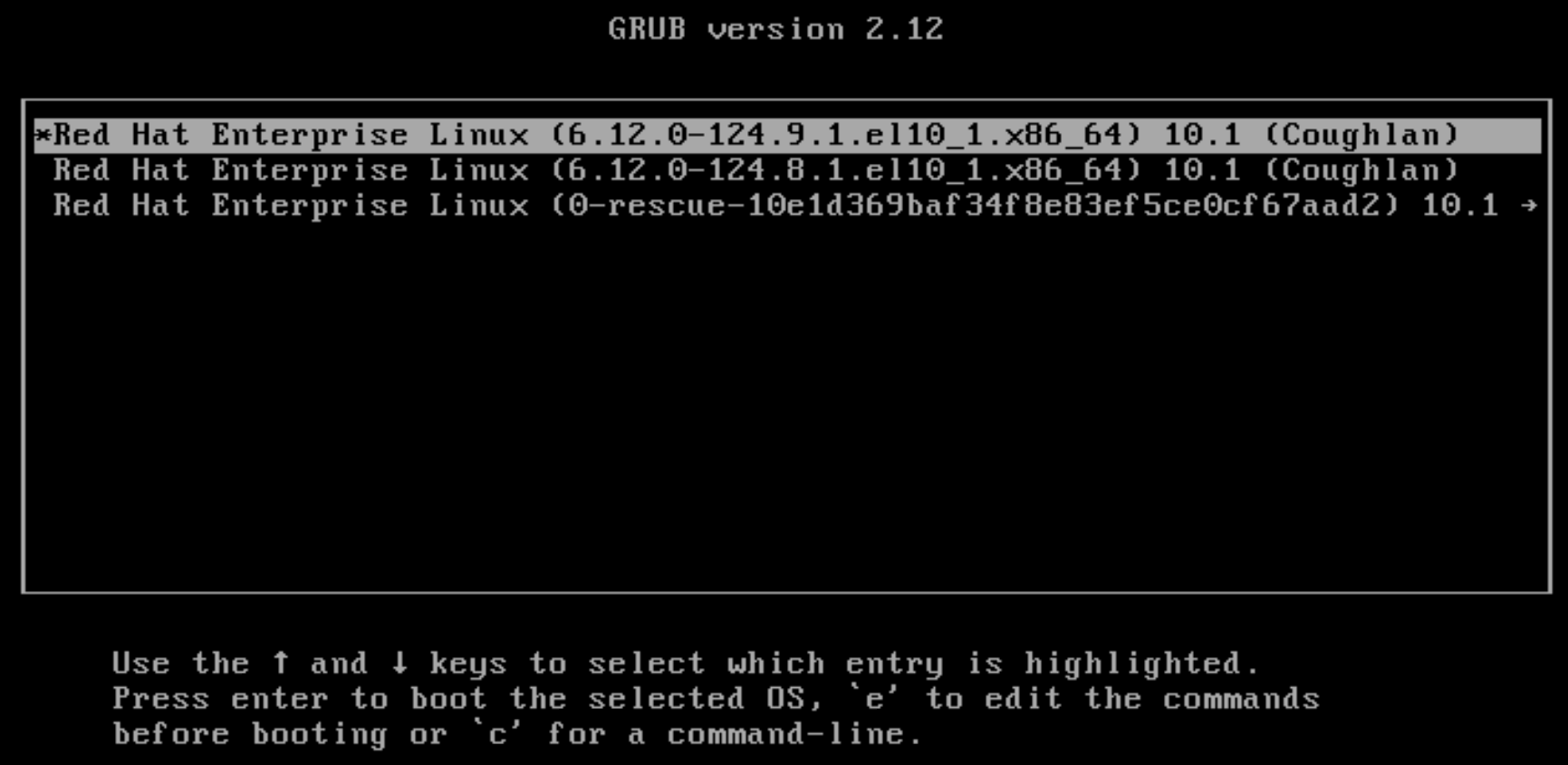
user1@localhost:~$ uname -r
6.12.0-124.9.1.el10_1.x86_64
user1@localhost:~$