How Date and Time are configured to synchronize with an NTP server
Table of Contents
NTP configuration and verification on Junos#
lab@vSRX> show configuration system | find ntp
ntp {
    server 172.25.11.254;
}

lab@vSRX> show configuration system | find zone
time-zone Europe/Berlin;
syslog {
    file interactive-commands {
        interactive-commands any;
    }
    file messages {
        any any;
        authorization info;
    }
}
license {
    autoupdate {
        url https://ae1.juniper.net/junos/key_retrieval;
    }
}
ntp {
    server 172.25.11.254;
}

lab@vSRX>
Then I instruct Junos to sync its date and time with the NTP server. Note that the set date ntp is executed at the operational mode:
lab@vSRX> set date ntp
27 Aug 14:53:17 ntpdate[41191]: step time server 172.25.11.254 offset +0.000689 sec

lab@vSRX>
To verify that date and time have been successfully synchronized with the NTP server:
lab@vSRX> show ntp associations
     remote               refid           auth  st  t  when  poll reach  delay     of
fset   jitter rootdelay rootdisp
=====================================================================================
================================
*172.25.11.254          10.210.8.72          -   3  u    63    64  177    0.378    +0
.299    1.960   12.161   54.642

lab@vSRX>

lab@vSRX> show system uptime
Current time: 2026-08-27 15:01:28 CEST
Time Source:  NTP CLOCK
System booted: 2026-08-27 05:26:19 CEST (09:35:09 ago)
Protocols started: 2026-08-27 05:27:16 CEST (09:34:12 ago)
Last configured: 2026-08-27 14:51:52 CEST (00:09:36 ago) by lab
 3:01PM  up 9:35, 1 users, load averages: 3.12, 2.61, 2.57

lab@vSRX>
NTP configuration and debugging on Cisco Catalyst 6500 series#
Situation
- 6500 switch is the corporate NTP server
- Server team wants to synchronize Active Directory time with the NTP server. Troubleshooting
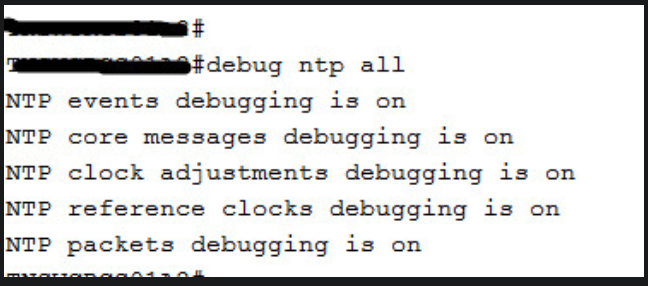
- enable NTP debugs:
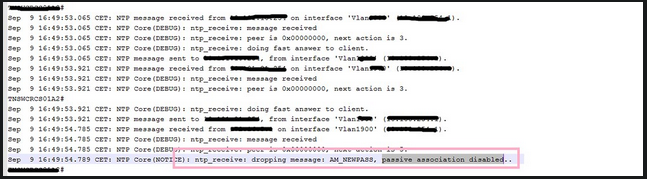
- check logs on the 6500 switch: